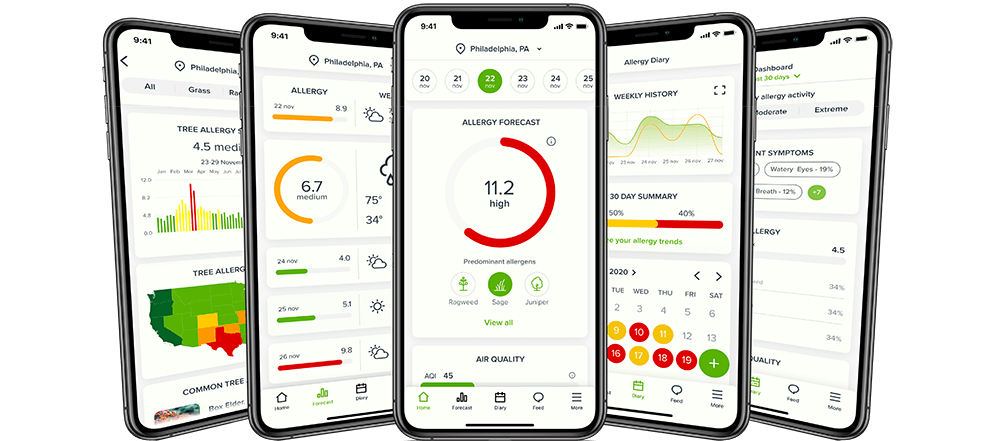

Pollen.com is proud to offer Allergy Alert, a free application you can download from
Apple's iTunes App Store for the iPhone and iPod Touch devices! This friendly application provides index levels
for four different conditions: Allergy (Pollen), Asthma, Cold and Cough, and Ultraviolet Sensitivity. With a simple
touch of the screen, you can plan your day with the One Day Alerts or think about your whole week with the four
day forecasts!
If you have downloaded the Allergy Alert application and are having problems, please
click here to go to the Allergy Alert Application Support page.
After downloading and starting the application you will see the default screen, the 1-day alert section of Allergy Alert.
(See illustration on the left) The top part of the screen shows which area is being forecasted. This can be changed in the Settings section discussed below..
There are four different health concerns listed, each with an index level between 0.0 and 12.0:
Allergy, Asthma, Cold-n-Cough, and Ultraviolet.
While viewing either the 1-Day Alerts or 4-Day Forecasts, you can see a detailed
description of the various levels within a health index. For example, if you wanted to know
what "Medium-High" for Allergy really means, you can tap the Allergy row for the answer. The
screen at the left shows the detailed descriptions of the Allergy Index Levels.
At the bottom of the screen are three buttons to use to navigate around the Allergy Alert application. Tapping the One icon will open
the 1-Day Alerts screen shown in the first screen shot.
By pressing the number Four icon on the bottom menu bar, you will see your 4-Day Forecasts. Notice the
days of the week are listed at the top of the screen in blue, and the index level for each day is
listed in red for easy focus.
Changing the Zip Code in your Allergy Alert is easy! Open the Settings application on your device,
and scroll down to the Allergy Alert icon. See the screen shot at the right. Simply tap the
Allergy Alert row.
This window is where you change the Zip Code, shown in the screen shot to the left. Again, simply tap
on the Zip Code that is currently shown, and the virtual keyboard will appear, allowing you to
change the Zip Code. Only five digit postal codes are allowed. Click the Home button on your
device to close your Settings. The next time you launch Allergy Alert, you'll see your new area's
name in the top of the 1-Day Alerts and 4-Day Forecasts!
If you have downloaded the Allergy Alert application and are having problems, please
click here to go to the Allergy Alert Application Support page.
Our Privacy Policy is available online, and you can click here to view our Advertising Policy.
The Pollen Index levels, national map and weather forecasts are updated daily (last updated on
November 7, 2009). The HealthDay News section is updated as new articles become available. You can click here for the Healthday News at Pollen.com.
Click here for links to other helpful pollen allergy related information.
Another useful tool for allergy sufferers is our PollenLibrary.com site.
Click here to send feedback or general comments on Pollen.com -
your best source of allergies and allergy information, such as hay fever, and includes the Allergy four day forecast.